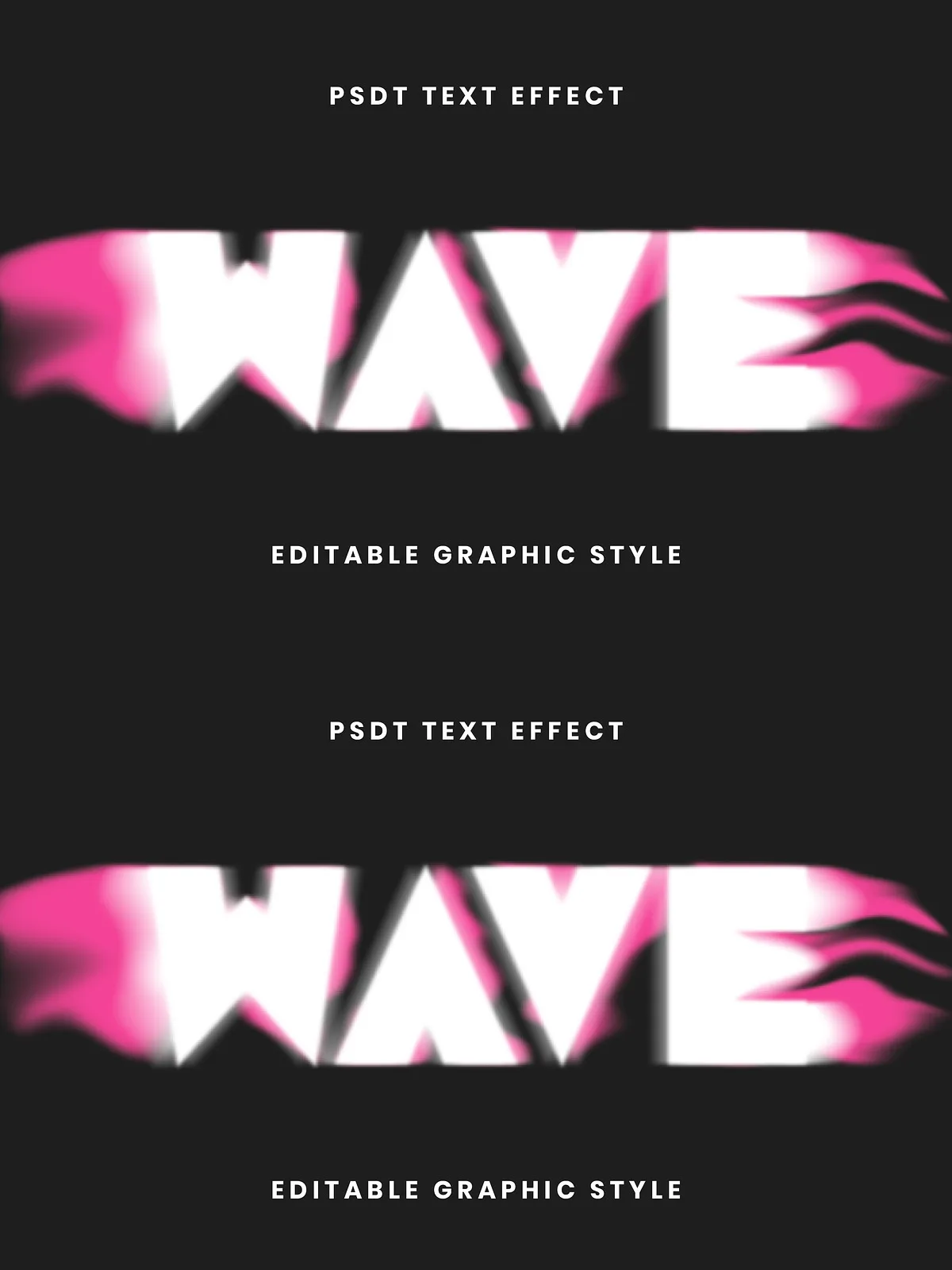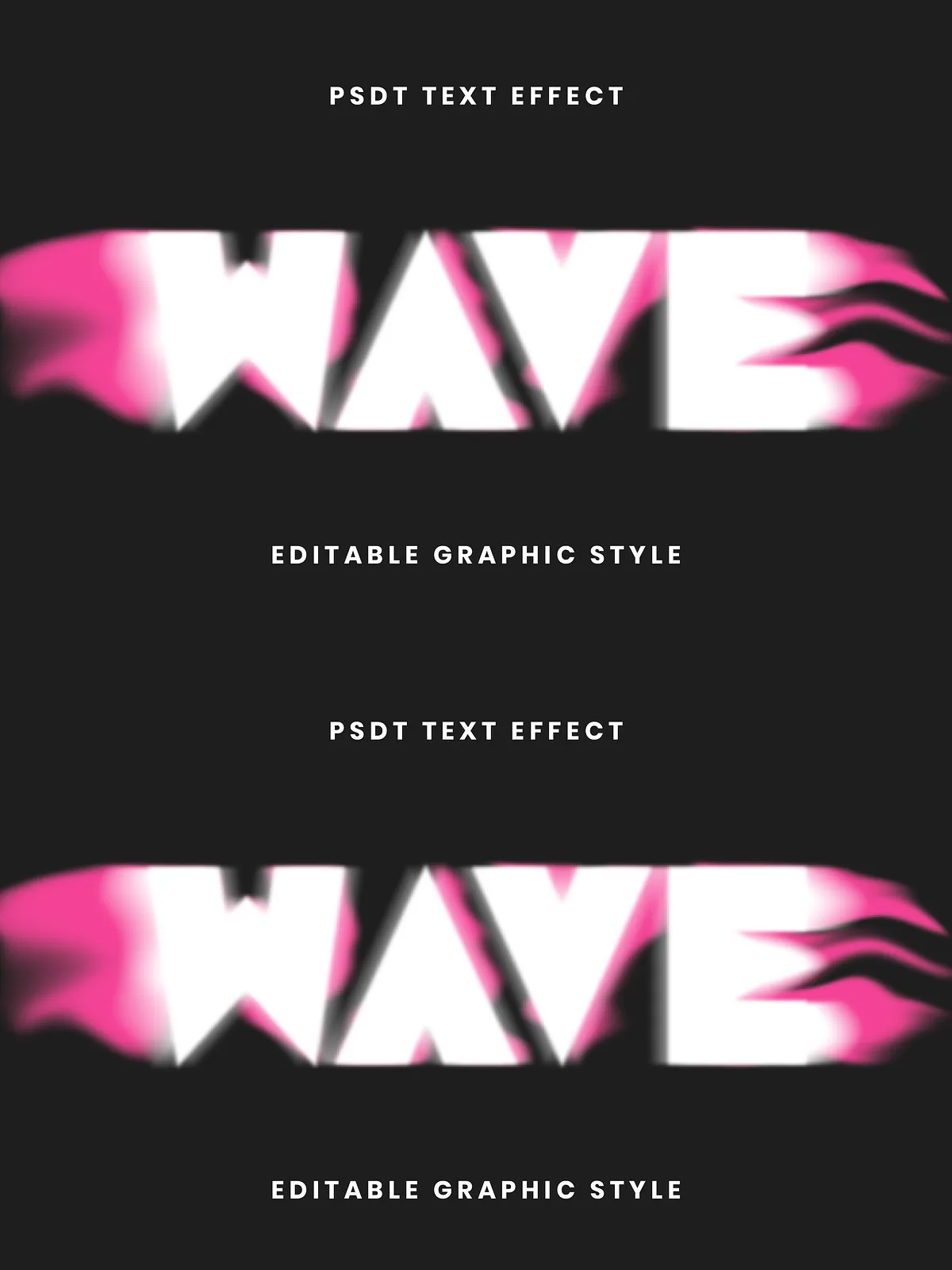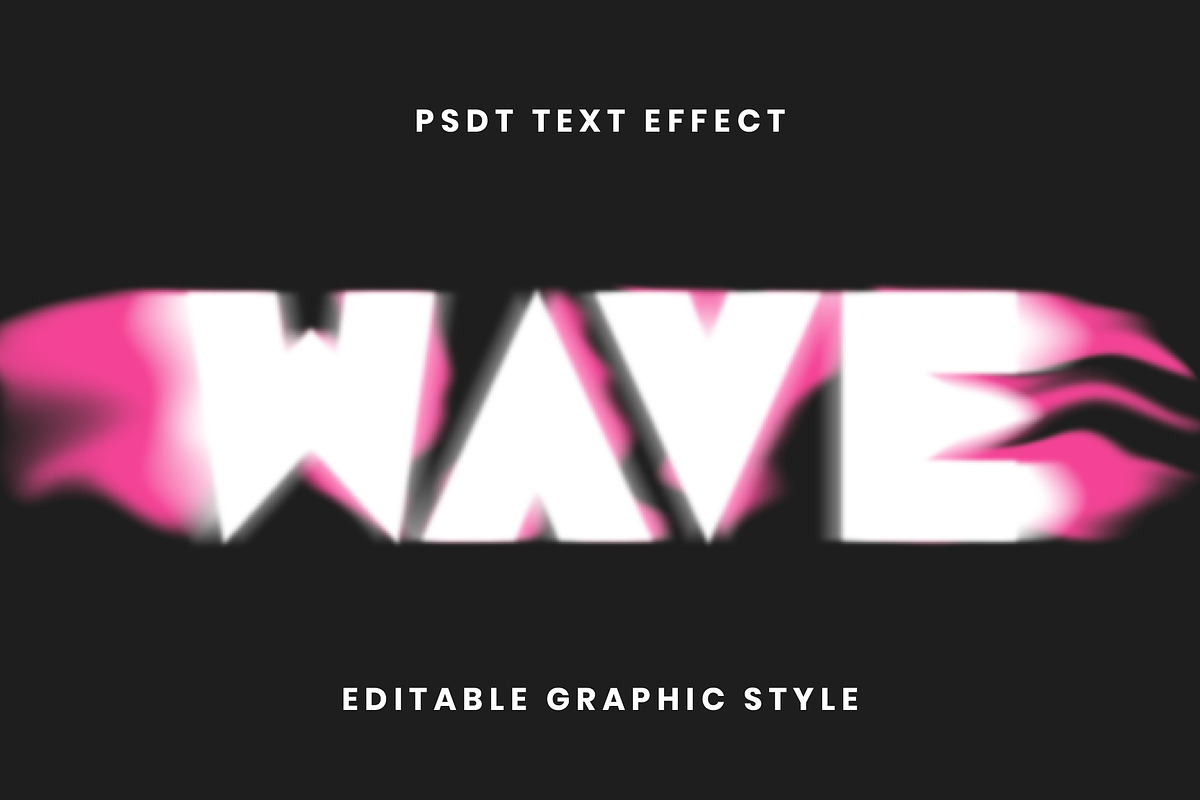

Inject raw energy into your typography with the Liquid Acid Fluid Glitch Text Effect. This Photoshop-ready effect delivers smeared edges, fluid distortions, and a neon acid color palette that amplifies attitude and visual impact. Designed for creatives who push boundaries, the effect adapts seamlessly to poster designs, album art, edgy brand identities, social visuals, and experimental web graphics. Each element is fully editable in Photoshop so you can control color, intensity, and distortion to suit any project.
Key Features
Fully Editable Photoshop Format
Work non-destructively with organized layers and smart objects. Change text content, adjust layer styles, and refine effects without losing quality. The file preserves editability so you can iterate quickly and export print-ready or web-optimized assets.
Liquid Wave Distortion
The core effect uses fluid wave displacement to create organic, flowing letterforms. This produces a liquid, acid-like movement that reads as deliberate distortion rather than random noise, giving your typography an intentional, tactile feel.
Vibrant Glitch Accents
Complement the fluid motion with neon glitch offsets, RGB splits, and smear artifacts. These accents add electric contrast and draw focus to key words or headlines, making compositions more dynamic and memorable.
What’s Included
- Editable Photoshop (.psd) file with layered, labeled structure
- Smart object text layer for quick edits
- Color control layers to switch palettes and neon intensity
- Optional displacement maps and texture overlays
- Usage notes and export recommendations
File Types & Compatibility
The main deliverable is a high-quality .psd that runs in Photoshop CC and later. Smart object functionality requires Photoshop CC 2018 or newer for best results. Export to high-resolution PNG, JPEG, or layered TIFF for print and digital delivery. All files come optimized for both RGB screen use and CMYK print workflows when exported at the correct resolution.
How to Use
Quick Start
- Open the .psd file in Photoshop and locate the smart object labeled “Edit Text Here”.
- Double-click the smart object, replace the sample text, save, and close the smart object window to apply changes.
- Use the color control layers to toggle palettes or fine-tune neon saturation and glow intensity.
- Adjust displacement and distortion sliders to increase or reduce fluid motion for stronger or subtler effects.
- Export using “Save As” or “Export > Export As” for web formats, or flatten and convert to CMYK for print-ready files.
Advanced Customization
Combine the effect with blend modes, gradient maps, and texture overlays to craft unique atmospheres. Use layer masks to constrain distortion to specific letters or words. Add drop shadows or strokes sparingly to preserve the edgy aesthetic while improving legibility.
Design Tips & Best Practices
- Pair the effect with bold, condensed typefaces to maximize the visual tension between form and distortion.
- Limit heavy distortion to headline text while keeping body copy clean for readability.
- Test color contrast against backgrounds to ensure accessibility — neon palettes can lose clarity on similar hues.
- Use displacement subtly on smaller sizes; increase distortion proportionally for large-format posters and banners.
Licensing & Support
This product includes a standard commercial license for use in client and personal projects. Third-party mockups or preview assets are not included. If you need help with customization, exporting print-ready files, or troubleshooting compatibility, follow the included instructions or contact the seller for support.